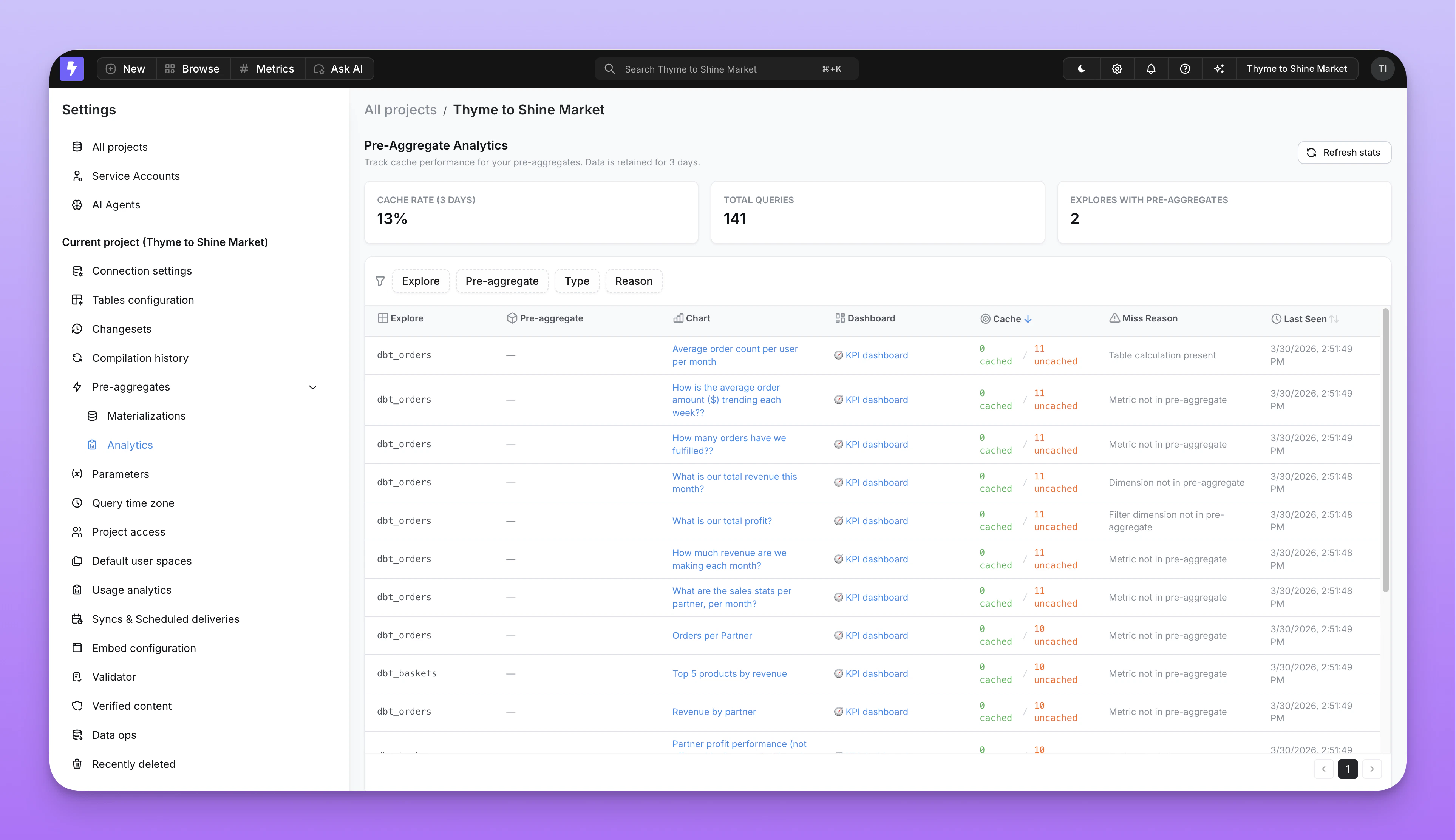
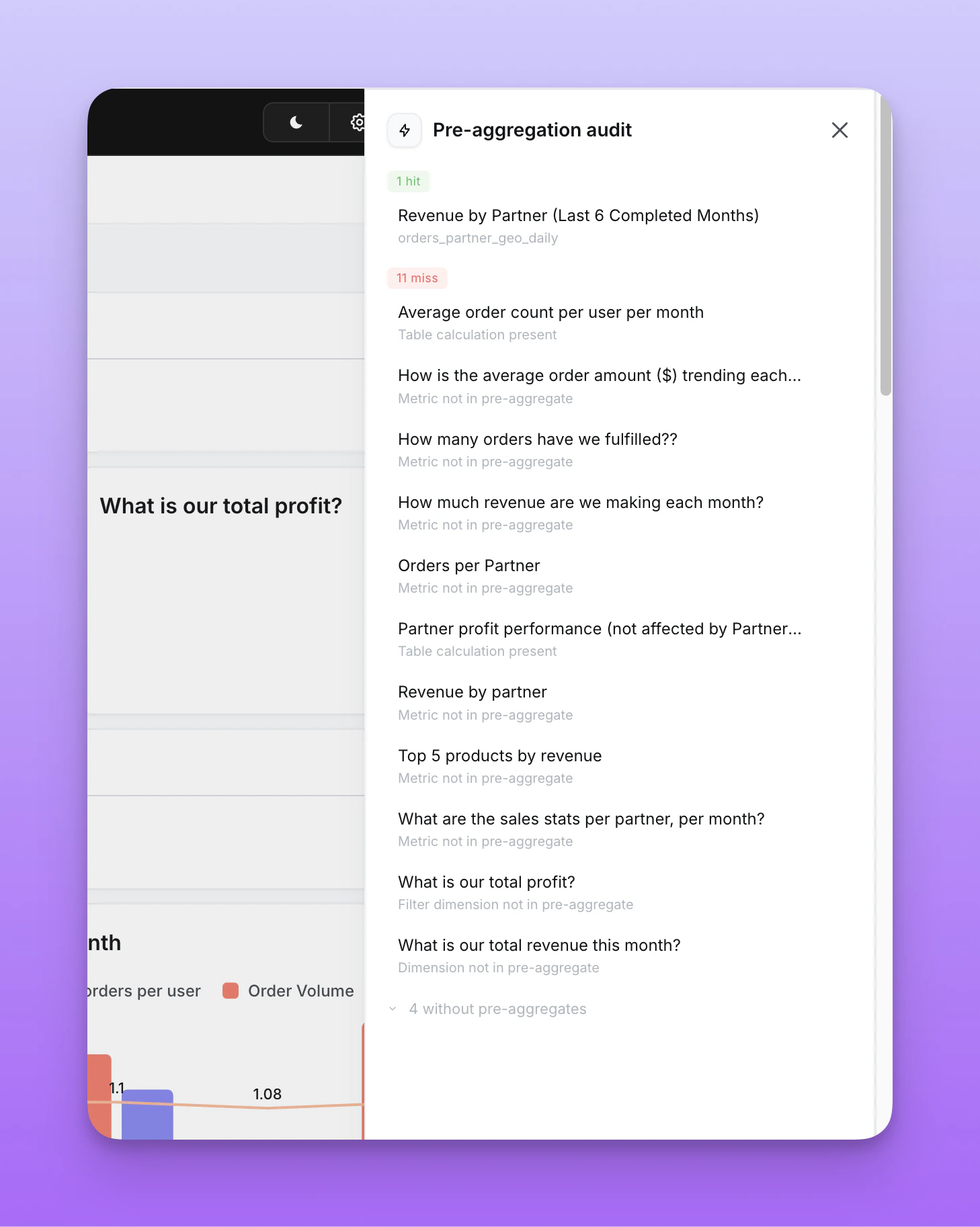
| No pre-aggregates defined | The explore has no pre-aggregates configured. | Add a pre_aggregates block to your dbt model. |
| Dimension not in pre-aggregate | The query includes a dimension not covered by any pre-aggregate. | Add the missing dimension to your pre-aggregate’s dimensions list. |
| Metric not in pre-aggregate | The query includes a metric not covered by any pre-aggregate. | Add the missing metric to your pre-aggregate’s metrics list. |
| Filter dimension not in pre-aggregate | A filter references a dimension not in the pre-aggregate. This also fires when a model required_filters target is missing from the pre-aggregate’s dimensions. | Add the filter dimension to the dimensions list — even if it’s only used for filtering, not grouping. |
| Pre-aggregate filter not satisfied | The pre-aggregate definition includes a static filter, but the query is missing it, uses a broader filter, or uses a different filter operator. Filter compatibility is only checked when both filters use the same operator — an absolute date filter (is 2026-01-15) will not match a relative pre-aggregate filter (inThePast 30 days) even if the date falls inside the window, and vice versa. This also fires when the pre-aggregate’s filters block targets a model required_filters field or a sibling grain of one — the two would conflict, so the pre-aggregate is treated as ineligible. | Match the pre-aggregate filter’s operator in the query (for example, use inThePast N days against a relative pre-aggregate filter), add the matching filter to the query, or create another pre-aggregate for that query pattern. Remove any pre-aggregate filters on required-filter fields. |
| Non-additive metric | The query includes a metric type that can’t be re-aggregated (for example, count_distinct or median). | This metric type is not supported. See supported metric types. |
| Custom SQL metric | The query includes a non-reaggregatable custom SQL metric, such as a number metric. | Use a supported metric type, or let the query run against the warehouse. |
| Granularity too fine | The query requests a finer time granularity than the pre-aggregate provides (for example, hour on a day pre-aggregate). | Either lower the pre-aggregate’s granularity or accept the warehouse query for this use case. |
| Custom dimension present | The query uses a custom SQL dimension. | Custom SQL dimensions created in the UI are not supported. Write them back to the semantic layer. |
| Custom metric present | The query uses a custom metric. | Custom metrics defined in the Explorer are not supported. Write them back to the semantic layer. |
| Table calculation present | The query includes a raw SQL table calculation. | Use a formula table calculation instead, or let the query run against the warehouse. |
| User bypass | The user explicitly bypassed the pre-aggregate cache. | No action needed — this is intentional. |