

Before you start
- Developer or Admin role in the Lightdash project.
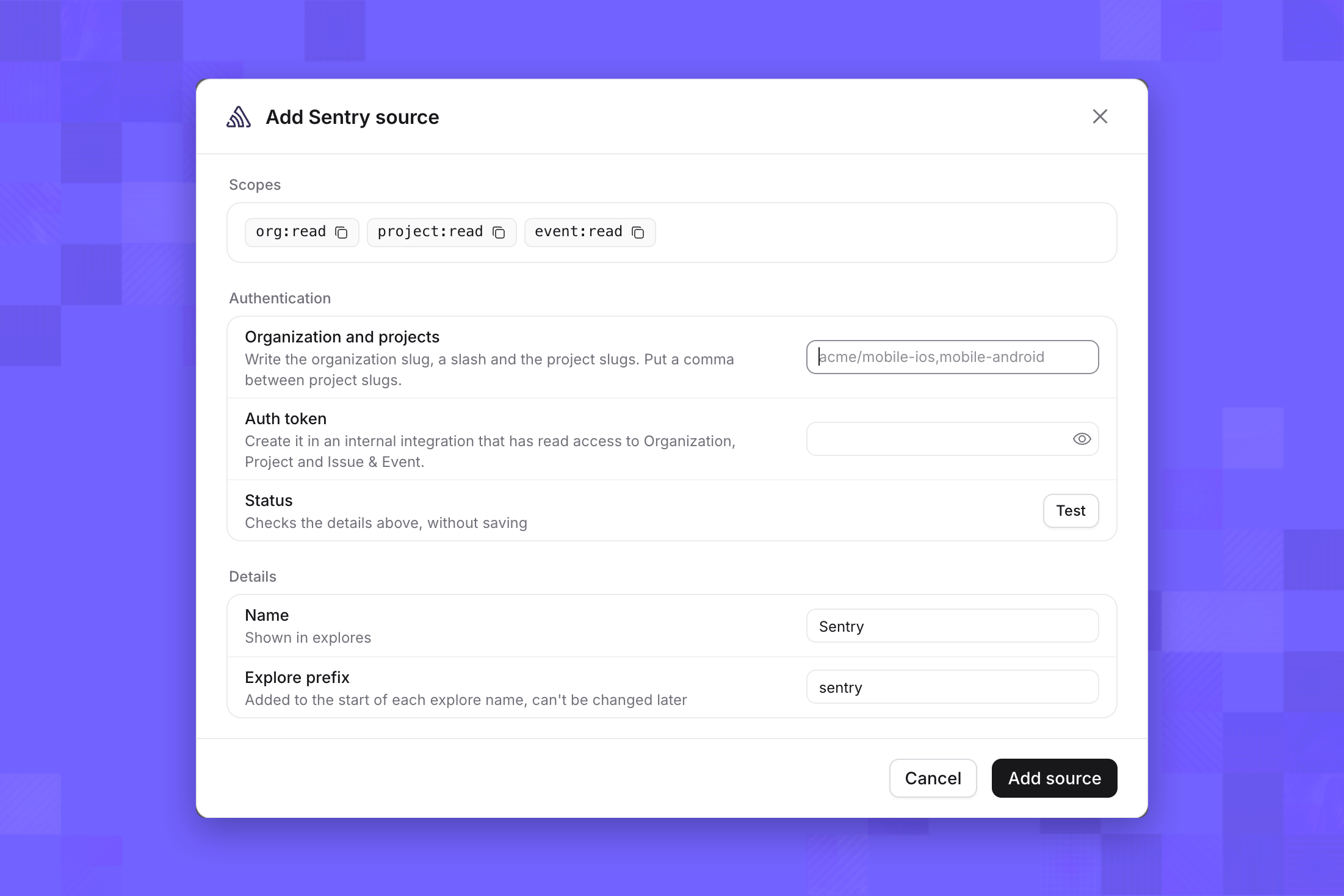
- A Sentry auth token from an internal integration. In Sentry, create an internal integration under Settings → Developer Settings, give it Read access to Organization, Project and Issue & Event, and copy its token. The Scopes card in Lightdash lists the matching scopes:
org:read,project:readandevent:read. - The slugs of the organization and of each project you want to query, as they appear in Sentry URLs, such as
acmeandmobile-ios.
Connect Sentry
- On the nav bar, click Browse → Semantic Layer.
- Click Add → Live data source.
- Select Sentry.
- In Organization and projects, enter the organization slug, a slash and the project slugs, separated by commas, such as
acme/mobile-ios,mobile-android. You can name up to 20 projects. - Enter the Auth token, then click Test. The test shows the projects and how many error events they had in the last 24 hours.
- Under Details, check the Name. People see the name in Explore and agents use it to refer to the source.
- Click Add source.
Dimensions and metrics
All dates are whole days in UTC. Sentry keeps events and sessions for 90 days, so queries can’t look back further.Errors
Error and crash events, grouped and counted by Sentry. Without a Date filter, a query reads the last 30 days.
Issues and Users affected are distinct counts, so they don’t add up across rows. No field holds a user’s identity.
Issues
One row per issue with events in the last 90 days. The table has no metrics: to count issues by release, project or day, use Errors.
The assignee, the people who saw or commented on an issue, and the culprit aren’t read.
Sessions
Release health, totaled by Sentry. Without a Date filter, a query reads the last 30 days. Only projects whose apps report sessions have data, and a day or group with no sessions has no row.
Users and the crash-free rates don’t add up across rows, so select them at the grain you need, such as by Release. Session status can’t be selected with a crash-free rate, or with Release, Project or Environment: filter those fields instead.
Date filters support in the last, in the current, is between, is, is before, is after, is on or before and is on or after. A filter open at one end runs to today or to the first day Sentry keeps.
Supported features
Limits
A query that would return more than 999 rows is refused rather than cut short. Narrow the date range, add a filter or remove a dimension. A query with a smaller row limit shows the first rows in the sort order.
Example questions
- “How many issues and error events did each release of our mobile app have in the last 30 days?”
- “What’s the crash-free session rate and crash-free user rate of each release?”
- “How have error events changed day by day over the last two weeks, by project and level?”
- “Which unresolved issues affected the most users this month, and when was each first seen?”
- “Which new issues were first seen in the latest release?”
- “How many sessions and users did each release have each day?”
- “Which operating systems and device families have the most crashes?”