Beta Enterprise Agent permissions are behind the
agent-identity feature flag. On Lightdash Cloud, ask Lightdash support to turn it on for your organization. On a self-hosted instance, enable the flag. What Beta means.Turn on limits
Agent permissions are in the Permissions section of Organization settings → Agent identity, after the identity rules.1
Turn on the switch
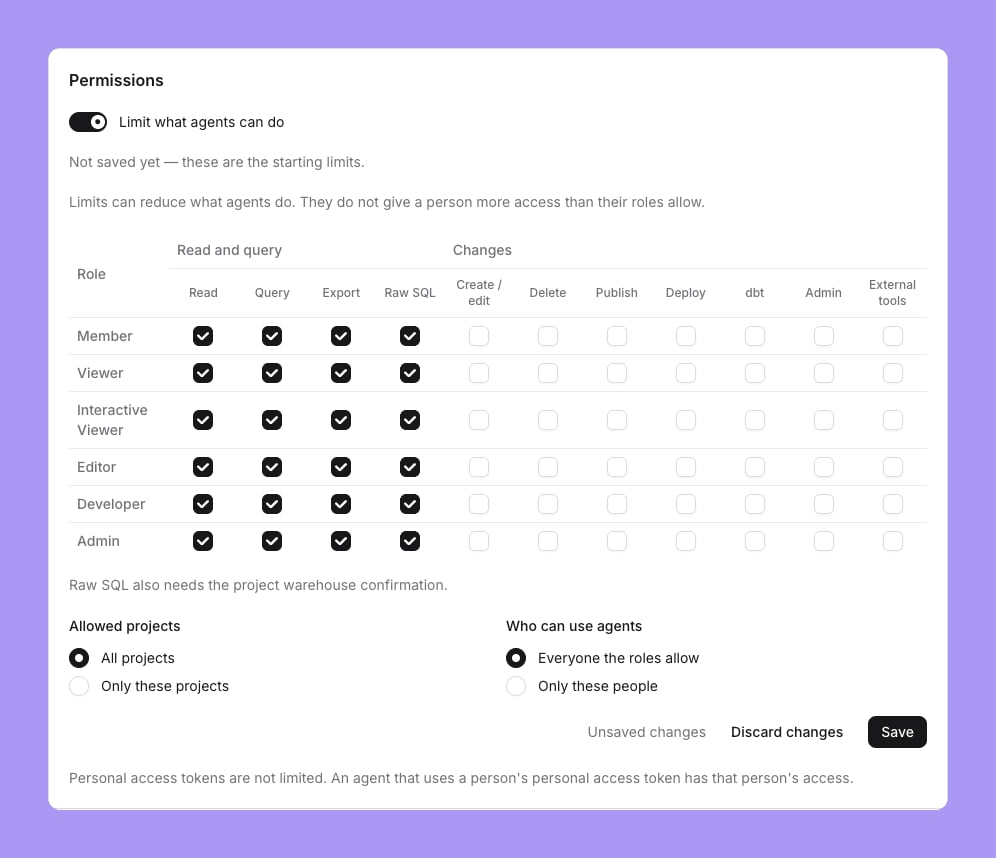
Turn on Limit what agents can do. While it is off, agents follow each person’s permissions, as before.
2
Review the starting limits
The page shows the starting limits before anything is saved: for every role, Read, Query, Export and Raw SQL are on, and every change is off.
3
Save
Change the limits if you need to, then select Save.
What agents can do for each role
The matrix has one row for each role and one column for each capability. An agent can do something only when the person’s role allows it and the matrix allows it for that role.Raw SQL needs the warehouse confirmation
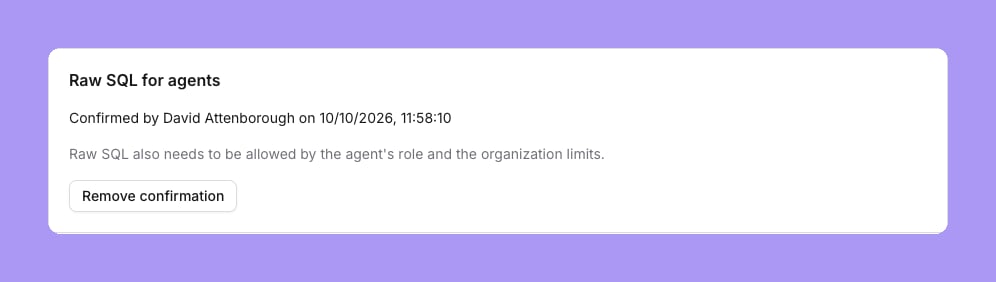
Raw SQL lets an agent run SQL outside the data models, so Lightdash also needs a project admin to confirm that the warehouse limits what the agent’s identity can read. Each project has a Raw SQL for agents card on Project settings → Agent identity, for every warehouse:1
Check the warehouse
Make sure the warehouse identity that agents run as can read only what agents may see. See Agent identity.
2
Confirm
On the Raw SQL for agents card, tick The warehouse limits what the agent’s identity can read, then confirm.
Allowed projects
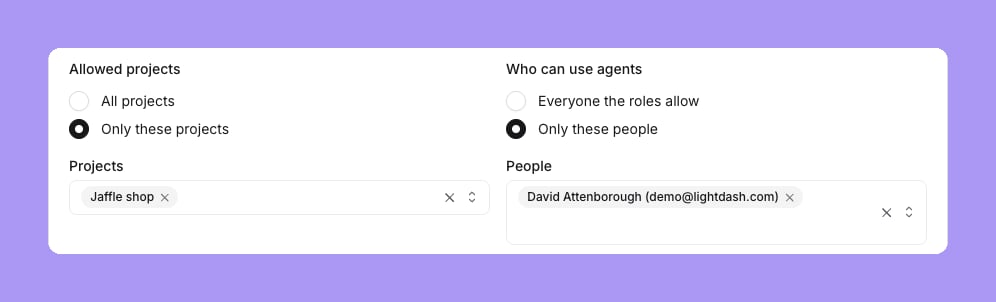
Under Allowed projects, choose All projects, or Only these projects and select the projects. Agents run only in the allowed projects.Who can use agents
Under Who can use agents, choose:- Everyone the roles allow. Every person’s agent can run, within the role limits.
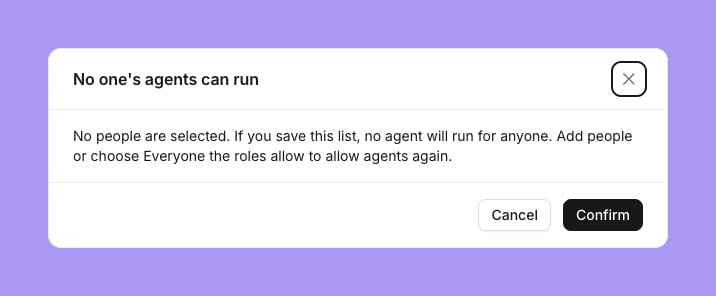
- Only these people. Only the agents of the selected people can run, on top of the role limits. A person who leaves the organization drops out of the list.
Custom roles
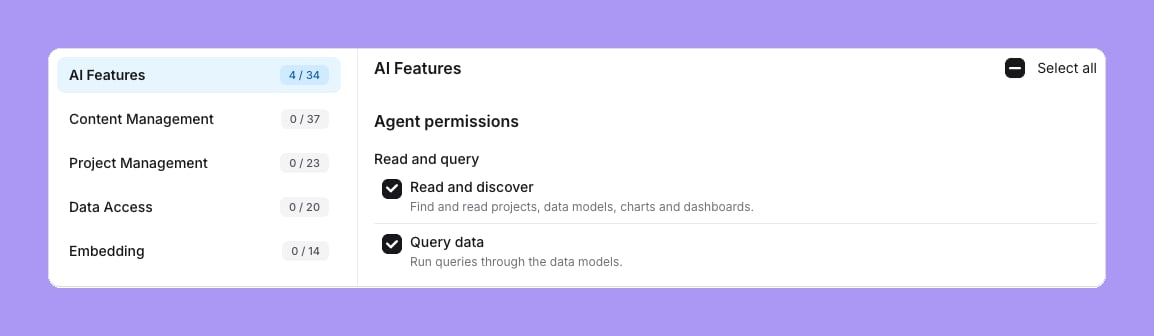
Enterprise Custom roles have an Agent permissions group in the AI Features section of the role editor, with the 11 capabilities above. A new custom role starts with Read and discover, Query data, Export results and Raw SQL on.