

select statements, and dbt handles the dependencies between them, builds the resulting tables and views, and tests them.
Lightdash reads a connected dbt project and builds your semantic layer from it. Your dbt models define what the tables are; the Lightdash metadata in their YAML defines what they mean — which columns are dimensions, which aggregations are metrics, how models join.
dbt is not required. If you don’t use it, define the same semantic layer in Lightdash YAML instead. This area covers the dbt integration itself: connecting a project, keeping it in sync, moving definitions between Lightdash and your repository, and what changes when you upgrade dbt.
For how to shape models so they explore well, see modeling strategies.
Set up a dbt project
Before you start, you need a dbt project on your machine and a Lightdash account. If you haven’t used dbt before, follow dbt’s getting started guide first.
Install and log in to the CLI
Install the Lightdash CLI with Homebrew on macOS, Linux, or Windows through WSL:{{ lightdash_domain }} is app.lightdash.cloud on Lightdash Cloud, or your own domain if you self-host. For other login methods, see Authenticate the CLI.
Generate your first Tables
If you use dbt Cloud, clone your repository to your local machine first. From the folder that contains yourdbt_project.yml file, run:
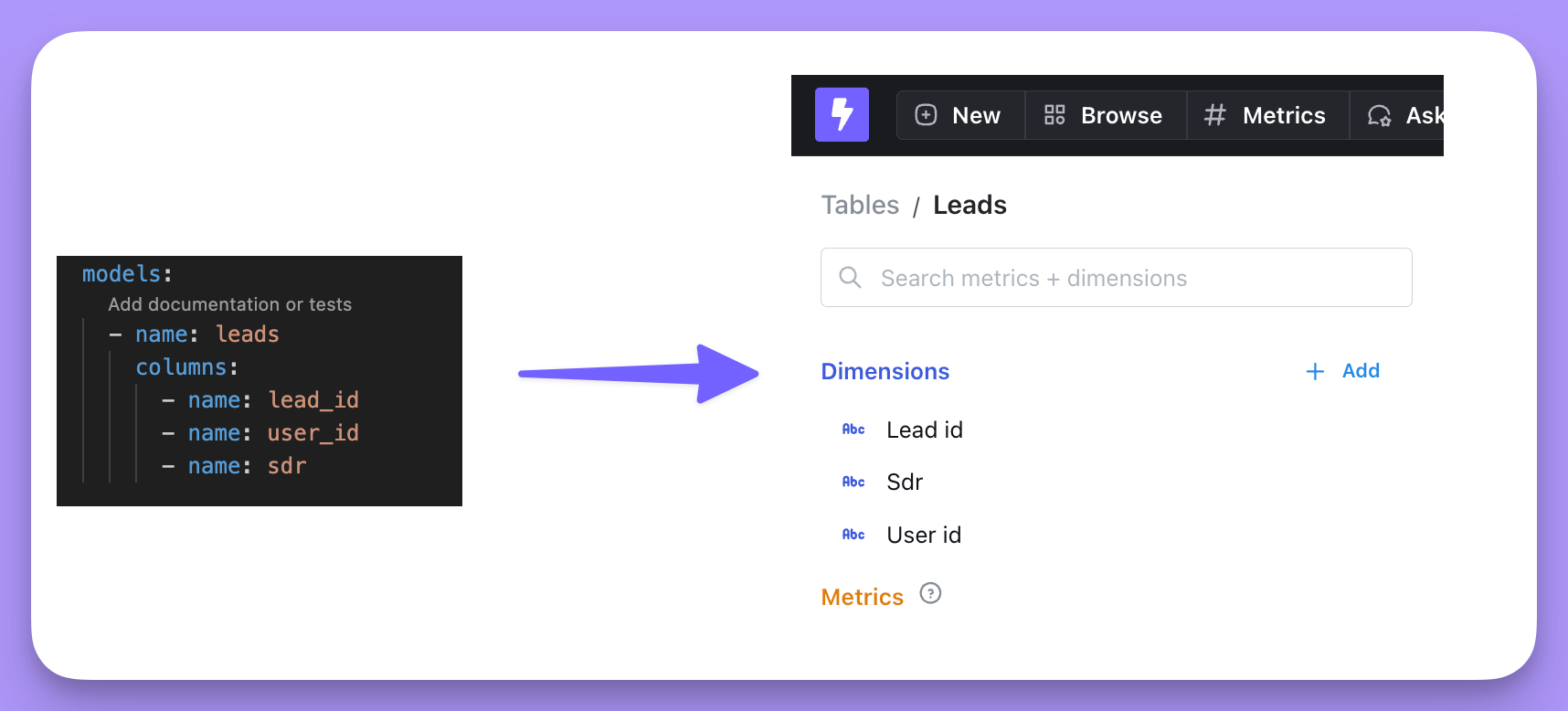
leads.yml file becomes a Table called Leads with the dimensions Lead id, User id, and Sdr.
Error: Not a dbt project (or any of the parent directories). Missing dbt_project.yml file, change into your dbt project folder and run the command again. To generate Tables for only some models, pass dbt’s model selection syntax. The examples under Choose which models become Tables below show common patterns.
Create your project
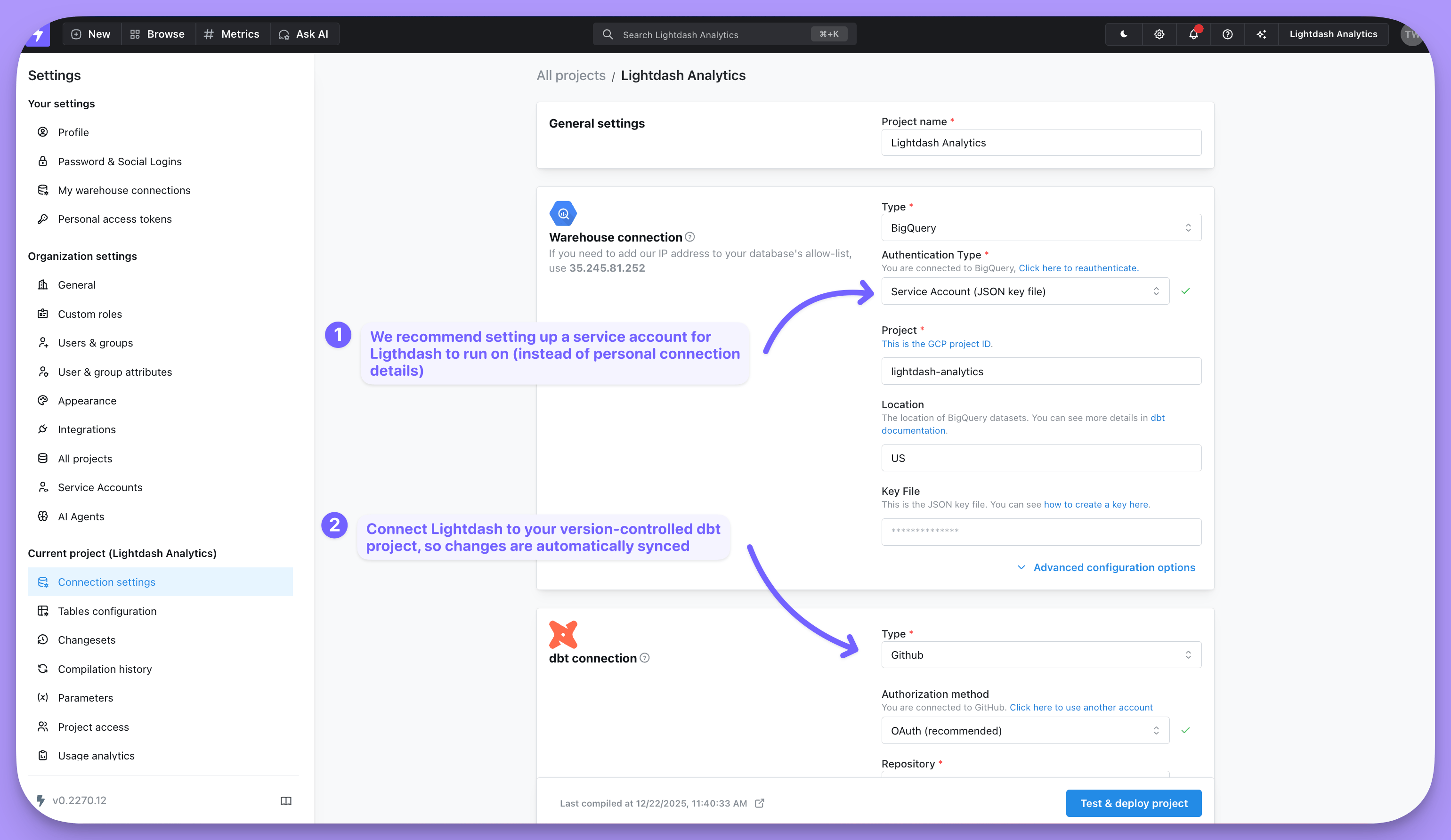
Create the Lightdash project and follow the link the CLI prints to start exploring:profiles.yml. Next, update your connection settings to switch to a service account and connect your version-controlled dbt project, so Lightdash stays in sync with your repository. To compare CLI deploys with a git connection, see Syncing dbt projects.
What are Tables?
Tables are the starting point for any data exploration in Lightdash — they’re the data you can query. Lightdash stays in sync with your dbt project, so Tables come from the dbt models defined in your project’s YAML files. If a dbt model has a YAML definition, it shows up in Lightdash as a Table.Choose which models become Tables
lightdash dbt run documents every column in your models as a dimension and generates a Table for each one. It supports dbt’s model selection syntax, so you can generate Tables for your whole project at once or narrow to a subset — for example, everything tagged lightdash: