> ## Documentation Index
> Fetch the complete documentation index at: https://docs.lightdash.com/llms.txt
> Use this file to discover all available pages before exploring further.
# Percent change from previous
> The percent change gives you the percent change in a value compared to the value in the row above it.
[Just gimme the code! ](#here’s-the-sql-you-can-copy-paste-to-calculate-the-percent-change-from-the-previous)
Here's an example of a percent change calculation:
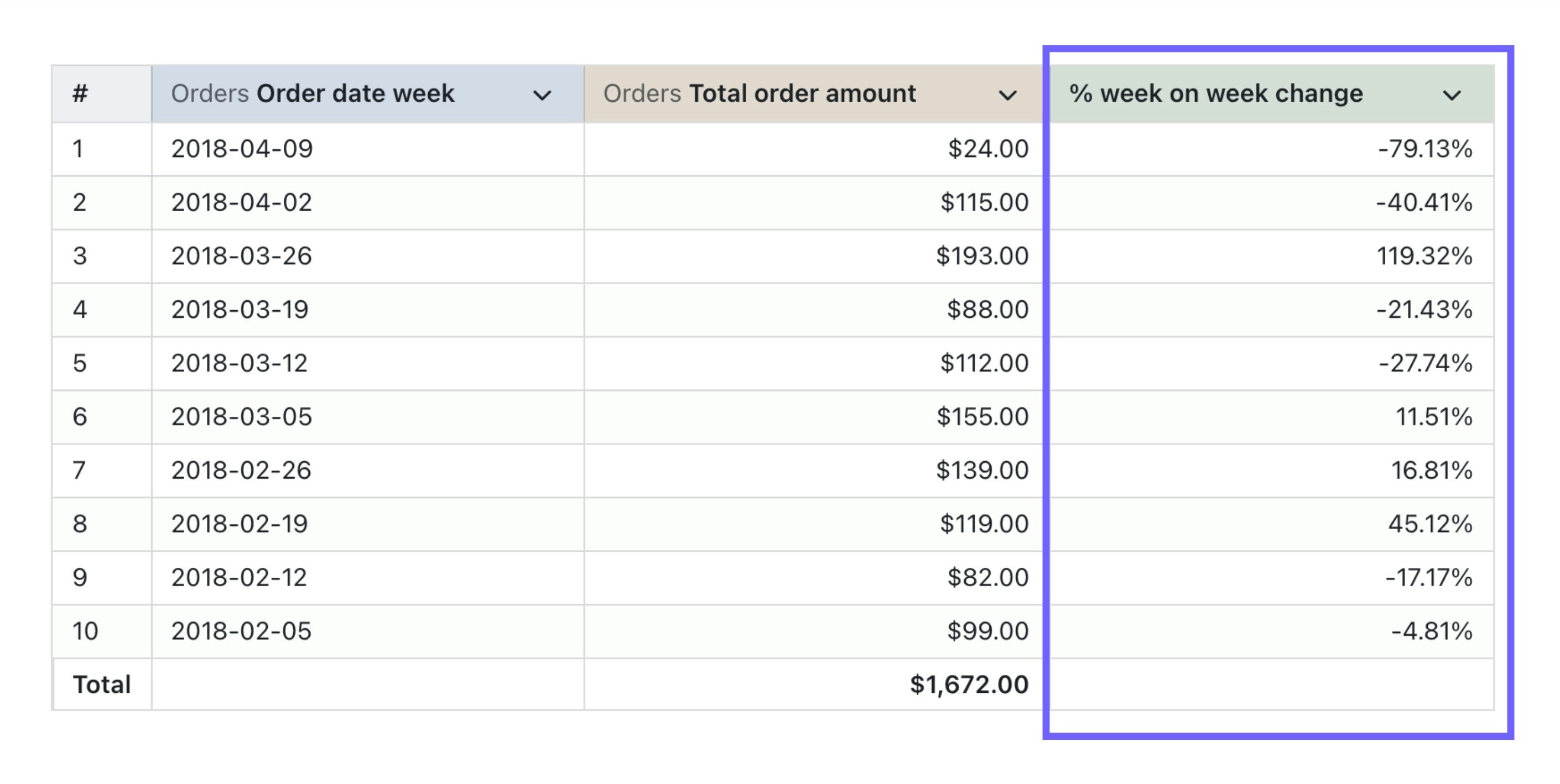 And here's the SQL that was used to generate it:
```sql theme={null}
(
${orders.total_order_amount} /
LAG(${orders.total_order_amount}) OVER (
ORDER BY
${orders.order_date_week}
)
) - 1
```
In general, the SQL used for calculating the percent change from the previous value has two bits (with an optional third bit):
* `column_I_want_to_compare` - this is the column with the values you want to compare
* `column_I_want_to_order_by` - this is the column you want to use to order the values you want to compare
* `optional_other_column_I_want_to_order_by` - this column is optional and you can add as many more `order by` columns as you need. Normally, you'll need to add every dimension in your results table to the `ORDER BY` bit in your SQL. And, the order of these will need to be the same as the ordering you've added to the columns in your results table.
### Here's the SQL you can copy-paste to calculate the percent change from the previous
```sql theme={null}
(
${table.column_i_want_to_compare} /
LAG(${table.column_i_want_to_compare}) OVER (
ORDER BY
${table.column_I_want_to_order_by},
${table.optional_other_column_I_want_to_order_by}
)
) - 1
```
### Make sure to add percent formatting to your calculation
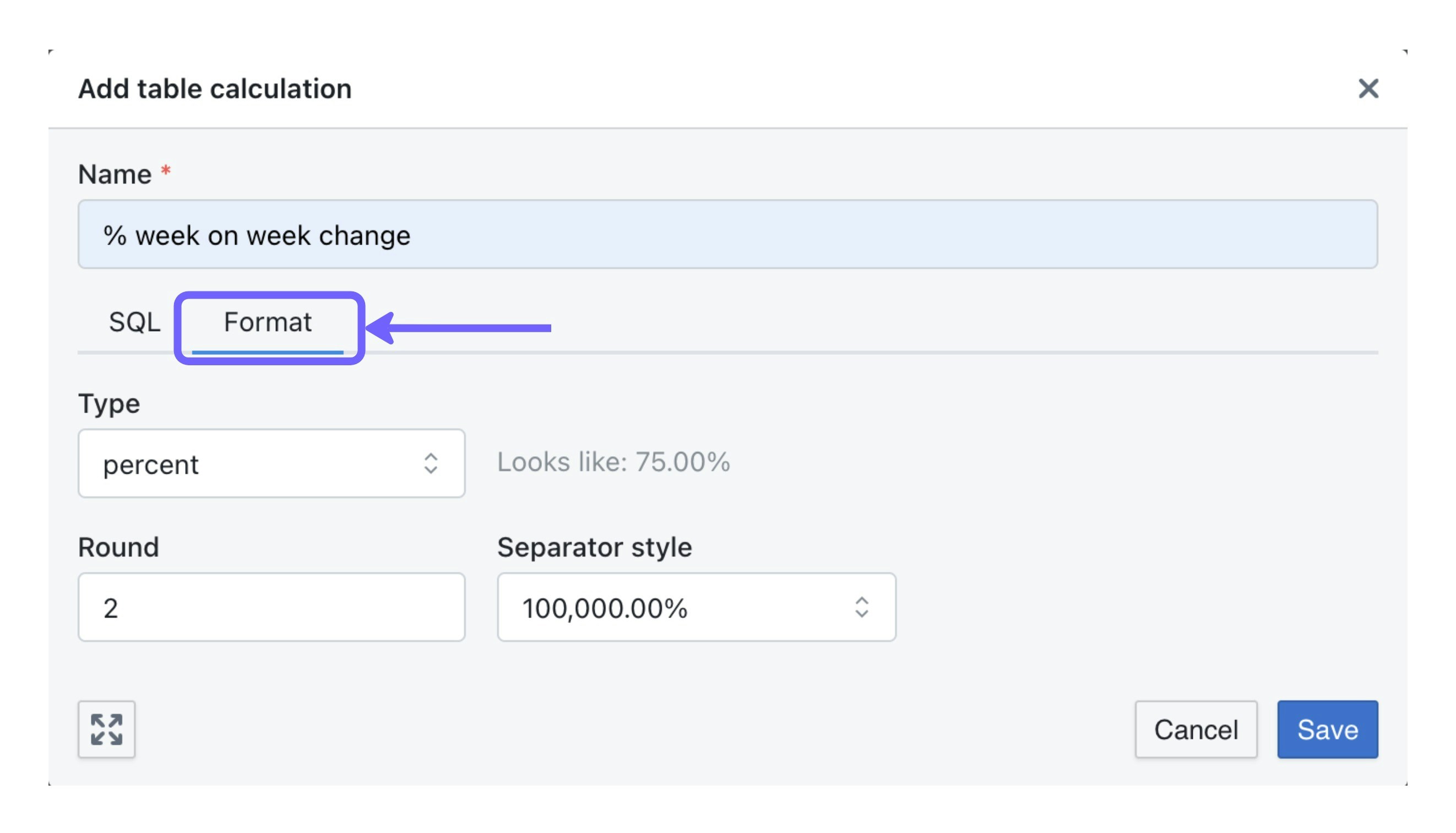
In the `format` tab, make sure to update the format to `percent` so that your table calculation is shown as a percentage value (instead of a number).
And here's the SQL that was used to generate it:
```sql theme={null}
(
${orders.total_order_amount} /
LAG(${orders.total_order_amount}) OVER (
ORDER BY
${orders.order_date_week}
)
) - 1
```
In general, the SQL used for calculating the percent change from the previous value has two bits (with an optional third bit):
* `column_I_want_to_compare` - this is the column with the values you want to compare
* `column_I_want_to_order_by` - this is the column you want to use to order the values you want to compare
* `optional_other_column_I_want_to_order_by` - this column is optional and you can add as many more `order by` columns as you need. Normally, you'll need to add every dimension in your results table to the `ORDER BY` bit in your SQL. And, the order of these will need to be the same as the ordering you've added to the columns in your results table.
### Here's the SQL you can copy-paste to calculate the percent change from the previous
```sql theme={null}
(
${table.column_i_want_to_compare} /
LAG(${table.column_i_want_to_compare}) OVER (
ORDER BY
${table.column_I_want_to_order_by},
${table.optional_other_column_I_want_to_order_by}
)
) - 1
```
### Make sure to add percent formatting to your calculation
In the `format` tab, make sure to update the format to `percent` so that your table calculation is shown as a percentage value (instead of a number).